The best educational content on YouTube is overwhelmingly in English, and for Sinhala speakers that language barrier turns a 20-minute lesson into repeated rewinding. YouTube’s auto-translated captions produce word-by-word output that is effectively unreadable in Sinhala, and commercial dubbing services do not cover the language. Vidura addresses this directly: a mobile-first PWA that fetches a video’s transcript, translates it with an LLM, and overlays synchronized Sinhala subtitles on the embedded player, with a chat assistant grounded in the user’s watch history. It is self-hosted, and the two hardest problems were getting the transcript and making the translation readable.
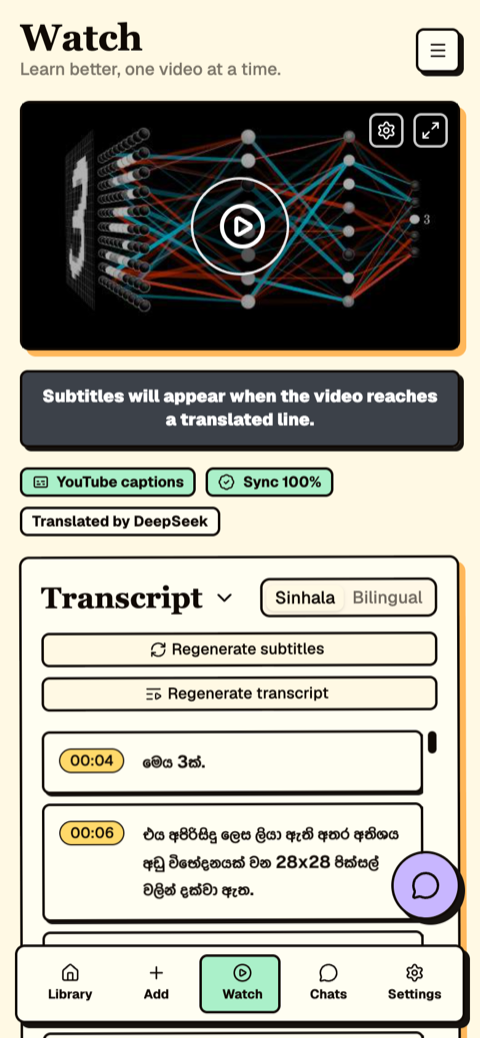
Figure 1: The watch page. Provenance badges above the transcript report where timestamps came from and which model translated them.
Motivation
The initial implementation was straightforward: fetch the caption track for a video ID, translate it, render it. It worked in local development and failed immediately in production. The difference was the network position of the server.
YouTube applies bot detection to requests from datacenter IP ranges, and a low-cost VPS sits squarely inside them. The same request that succeeded from a residential connection received a bot challenge from the server. Rotating user agents, backoff, and cookie persistence did not change the outcome, and structurally could not: from YouTube’s perspective, a datacenter server requesting caption tracks is indistinguishable from a scraper.
The transcript pipeline
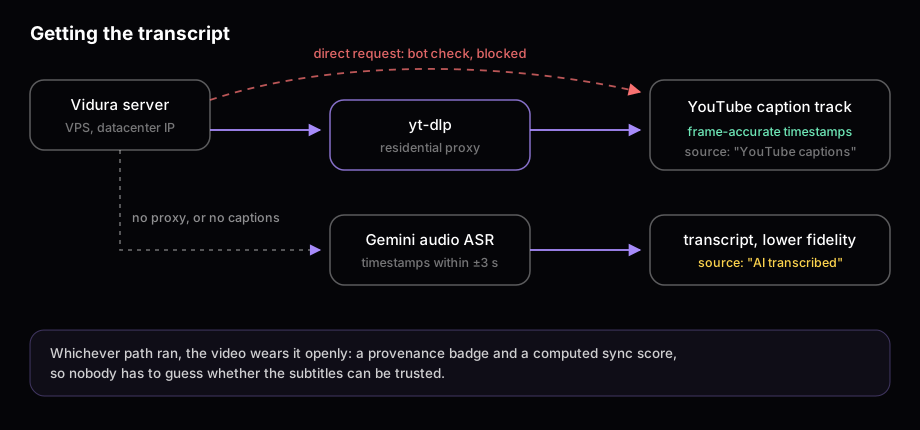
Figure 2: Transcript acquisition. The primary path uses YouTube’s own caption track; audio transcription is the fallback.
The production pipeline has two paths, ordered by timestamp quality:
- Primary: yt-dlp through a paid residential proxy. The request exits through a household ISP address and YouTube serves the caption track normally. This path is preferred because YouTube’s own captions carry frame-accurate timestamps.
- Fallback: audio transcription with Gemini. When no proxy is configured or a video has no caption track, Vidura transcribes the audio. Timestamps from ASR land within roughly three seconds, which is adequate for following a lecture but visibly worse for subtitle sync.
The quality difference between the two paths motivated a product decision: every video carries a provenance badge stating whether its timestamps came from YouTube captions or from transcription, alongside a computed sync score and the name of the translating model. When the data is lower fidelity, the interface says so rather than presenting both paths as equivalent.
Translation as a single structured-output call
The first translation implementation iterated over caption cues and translated each independently. Output quality was poor in a specific, diagnosable way: terminology drifted (one English term became three different Sinhala words across a lecture), sentences broke at cue boundaries, and pronouns lost their referents. The root cause is that a caption cue is not a sentence; it is wherever the speaker paused. Translating cues independently is translating without context.
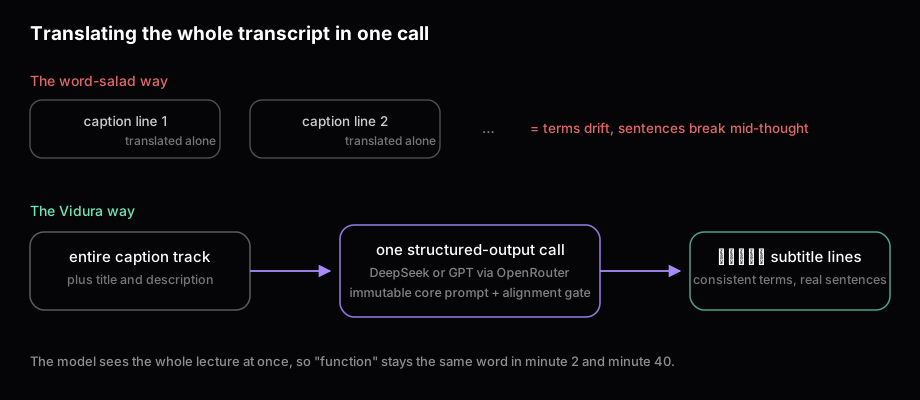
Figure 3: Cue-by-cue translation versus whole-transcript translation.
The production design inverts this: one structured-output call containing the entire transcript plus the video title and description for grounding. The model sees the full lecture before translating any line, so terminology stays consistent from minute 2 to minute 40 and sentences flow across cue boundaries. Two guardrails keep this safe. The core prompt is immutable, so user-configurable tone settings cannot corrupt the output format, and an alignment gate validates the result against the source cues before anything is stored.
Whole-transcript calls are large, which made model routing an economic requirement rather than a convenience. Vidura calls models through OpenRouter: DeepSeek for near-zero marginal cost, GPT-class models when a video warrants it. Switching is a settings change, not a code change. For a self-funded system, that flexibility is what keeps the feature economically viable.
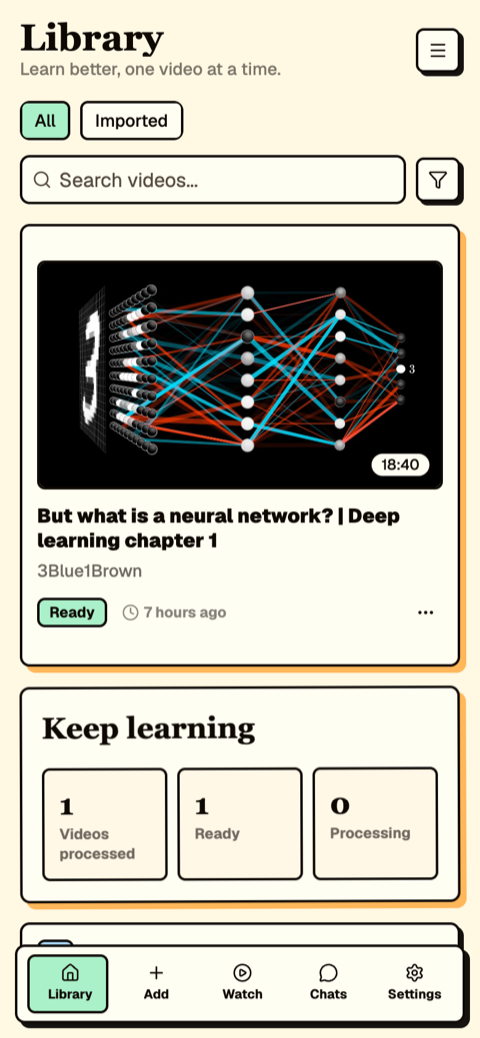
Figure 4: The library. Each processed video displays its sync score and translation model.
Grounded chat and the rest of the system
With accurate, translated transcripts in place, the remaining features derive from the same data. The chat assistant answers questions grounded in the transcripts of the user’s library, citing video and timestamp. Notes pin to playback positions. Subtitle rendering supports size, color, background, and position adjustments, applied in fullscreen on both orientations. The full stack is self-hosted: library, notes, and chat history stay on the operator’s server.
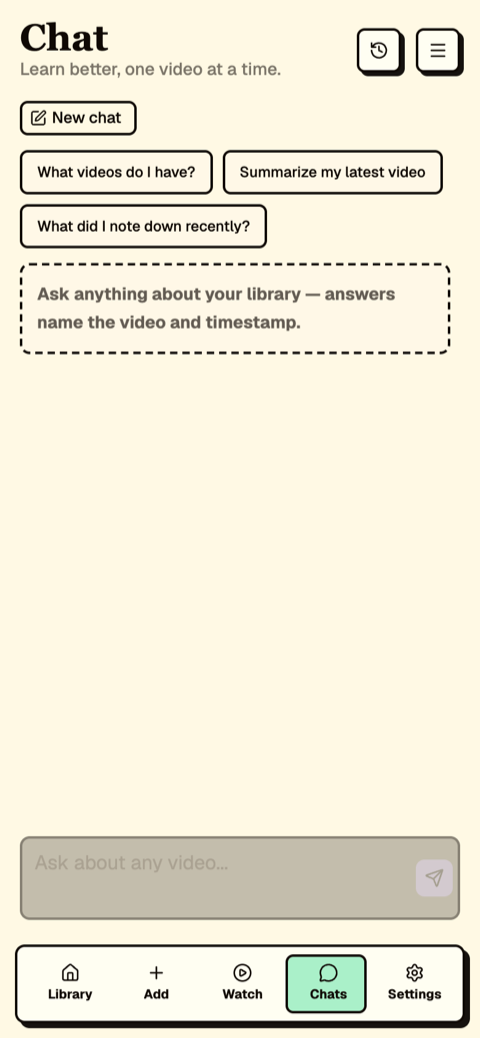
Figure 5: Transcript-grounded chat with citations into the library.
Moving forward
Three engineering conclusions from this system. Infrastructure that depends on YouTube requires a residential egress path; the polite workarounds do not work and the proxy cost is the price of the feature. Translation quality is a context problem before it is a model problem; moving from per-cue calls to one whole-transcript call improved output more than any model upgrade. And surfacing data provenance in the UI, originally a debugging aid, became the feature users rely on to decide how much to trust a video’s subtitles.
Vidura is open source under Prabhava Labs. Current work targets per-video glossaries for domain terminology and batch processing for course playlists.